# WinLin PEAS
### linPEAS
LinPEAS is a script that search for possible paths to escalate privileges on Linux/Unix\* hosts. Once you was able to get on a server you can run this script to see which vulnerabilities the system has.
[https://github.com/carlospolop/privilege-escalation-awesome-scripts-suite/tree/master/linPEAS](https://github.com/carlospolop/privilege-escalation-awesome-scripts-suite/tree/master/linPEAS%20)
The goal of this script is to search for possible **Privilege Escalation Paths** (tested in Debian, CentOS, FreeBSD and OpenBSD).
This script doesn't have any dependency. It **uses /bin/sh syntax**, so can run in anything supporting sh (and the binaries and parameters used).
By default, **linpeas won't write anything to disk and won't try to login as any other user using su**.
By default linpeas takes around 2 mins to complete, but It could take from **4 to 5 minutes** to execute all the checks using -a parameter (Recommended option for CTFs):
- From less than 1 min to 2 mins to make almost all the checks
- Almost 1 min to search for possible passwords inside all the accesible files of the system
- 20s/user bruteforce with top2000 passwords (need -a) - Notice that this check is super noisy
- 1 min to monitor the processes in order to find very frequent cron jobs (need -a) - Notice that this check will need to write some info inside a file that will be deleted
To run LinPEAS directly on a system you can execute the script with a curl command:
`curl https://raw.githubusercontent.com/carlospolop/privilege-escalation-awesome-scripts-suite/master/linPEAS/linpeas.sh | sh`
Otherwise you can download the repository on GitHub and scp the file to your target server.
`git clone https://github.com/carlospolop/privilege-escalation-awesome-scripts-suite`
From there you can go to the folder **linPEAS** and copy the script.
To extract the results in a file you execute the script as following:
`sudo ./linpeas.sh | tee .log`
LinPEAS looks like that when executed:
[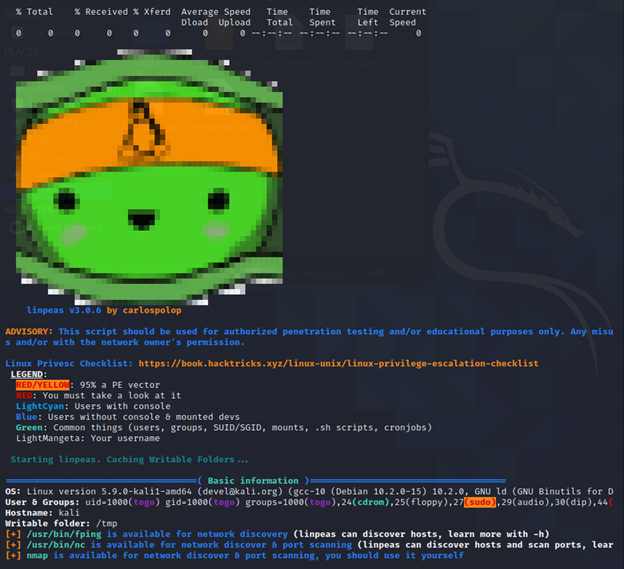](https://wiki.togogo.ch/uploads/images/gallery/2022-07/dhlimage.png)
### winPEAS
The same works on windows as well. You can run it as .exe or .bat.
[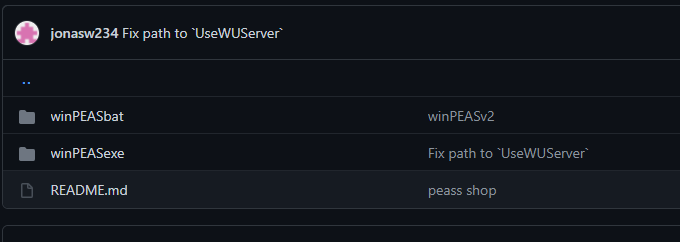](https://wiki.togogo.ch/uploads/images/gallery/2022-07/QEoimage.png)
Best way to execute it would be the .bat file.
Execute it on the target machine and you’ll see all vulns and discover other possible lack of security.