
BookStack Installation
SSH into your cPanel server using your login credentials.
Make sure you are in your home directory by running cd ~
Clone the release branch of the BookStack GitHub repository by runninggit clone https://github.com/BookStackApp/BookStack.git --branch release --single-branch.
It will create a BookStack directory for you automatically.
Run cd BookStack to get into the application folder and then run composer install. It will take a few minutes to download all of the required packages.
Run cp .env.example .env to start your environment configuration file.
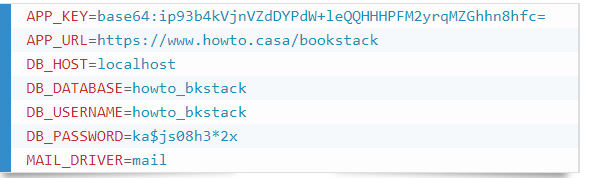
Run php artisan key:generate and confirm with a “yes” to generate a unique application key. This automatically updates the APP_KEY constant in your .env file.
Run nano .env and fill it with your database details from step 2; set the APP_URL to the expected full public-facing URL of your BookStack site; set your mail details; save and exit the editor.
Run php artisan migrate and confirm with a “yes” to prepare the database.
Run chmod u+w ~/BookStack/storage ~/BookStack/bootstrap/cache to ensure these folders are writable by the web server.
Final step is to make sure that the Document Root directory is pointing to your BookStack folder:
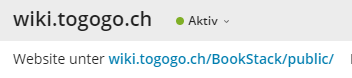
Done! You can now navigate to your public-facing BookStack URL and login using the default admin details, admin@admin.com with a password of password. For security reasons, change these details immediately after logging in for the first time.
No Comments