
Plesk Preparations
Create a SSH account
Create an SSH account before you try to connect. Go to your domain and click on Webhosting Access:
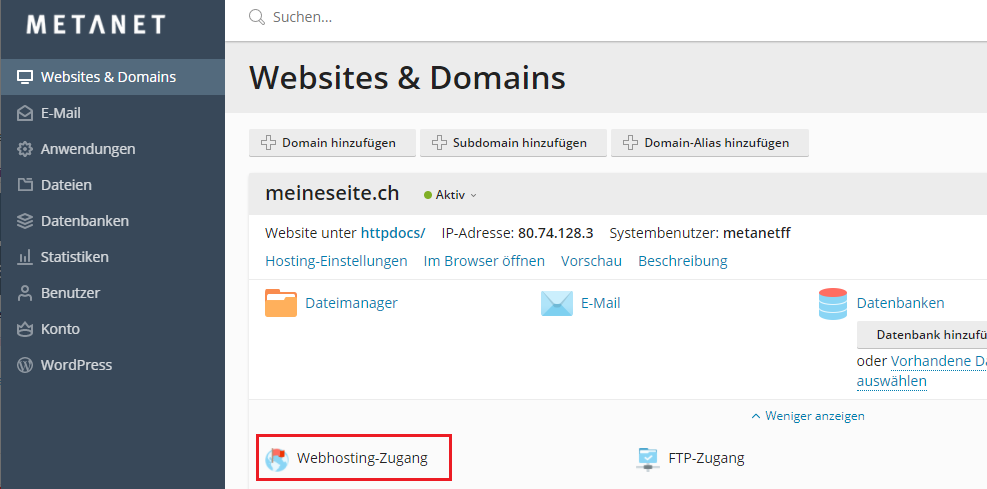
There you can define a user or use your existing login to connect via SSH.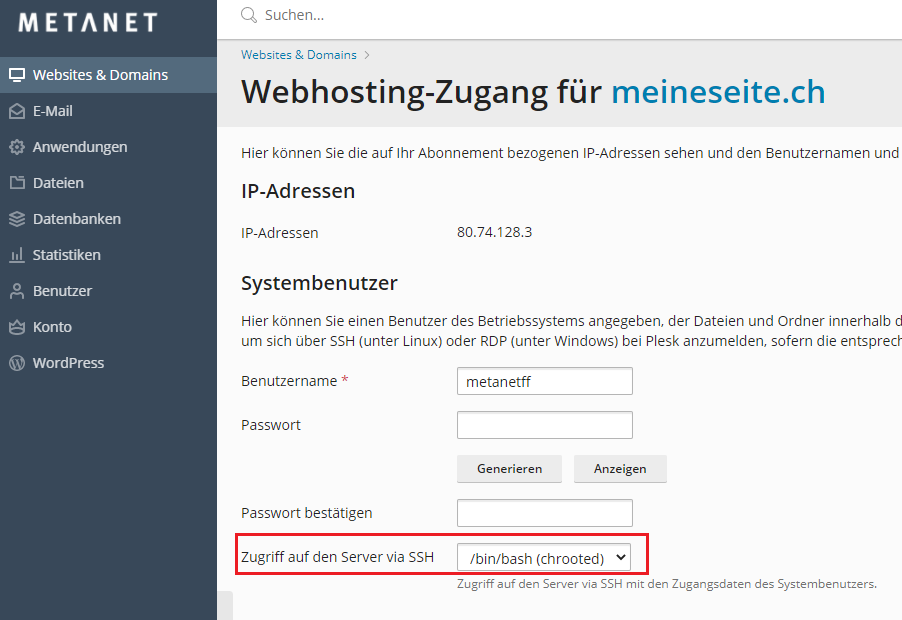
To connect via SSH you need to connect through port 2121.
ssh username@yourwebsite.com -p2121
Check for PHP version
Check the PHP version. It can be that it's a lower version than showing on the Control panel. This because the linux alias "php" is directing to the older version. Make sure your PHP is running minimum 7.4 or above.
https://www.metanet.ch/support/713#10224-php
php --version
If your version is below 7.4 do the following:
alias php='/opt/php80/bin/php'
echo "alias php='/opt/php80/bin/php'" >> ~/.bash_profileexport PATH=/opt/php80/bin:$PATH
echo "export PATH=/opt/php80/bin:\$PATH" >> ~/.bash_profile
After that check the php version again in the command line.
Create Database
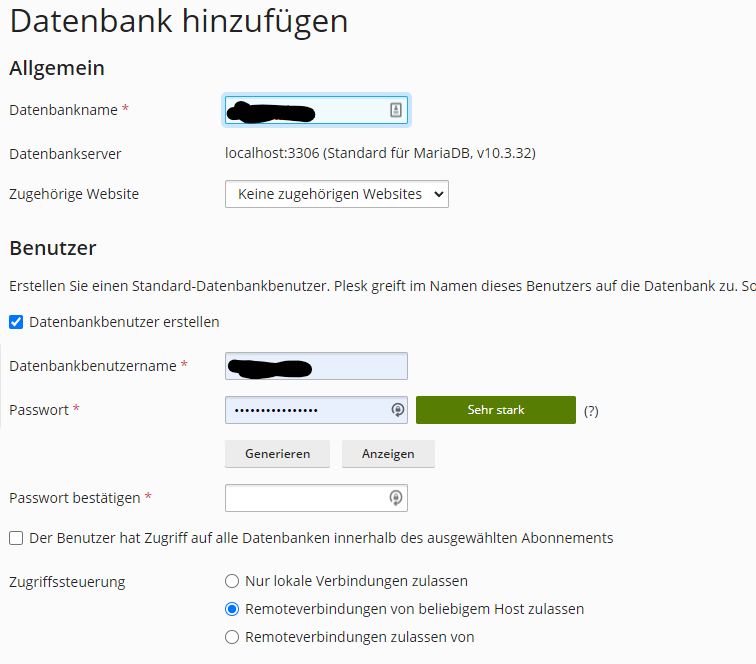
Before you install BookStack you need to make sure you have already a database created.
Use the MySQL Database Wizard to create a database and database user with all privileges to the database you’ve created. Take note of the full database name and user credentials for a later step.
No Comments